Every client.One price increase.
Jobber makes you edit recurring jobs one at a time. Steadmark updates them all, with a preview and one-click undo.
“Do you know how long it takes me to increase my prices for 700 ongoing clients?”
A new price in Products & Services only applies to new jobs. Existing recurring jobs keep the old one.
So the increase waits for "next month", while wages, fuel and supplies keep going up.
Two ways to raise 300 prices.
Same result in Jobber. One is an afternoon of clicking. The other is one rule.
By hand in Jobber
Open the job, edit the line item, update future visits, save. Then find the next client.
With Steadmark
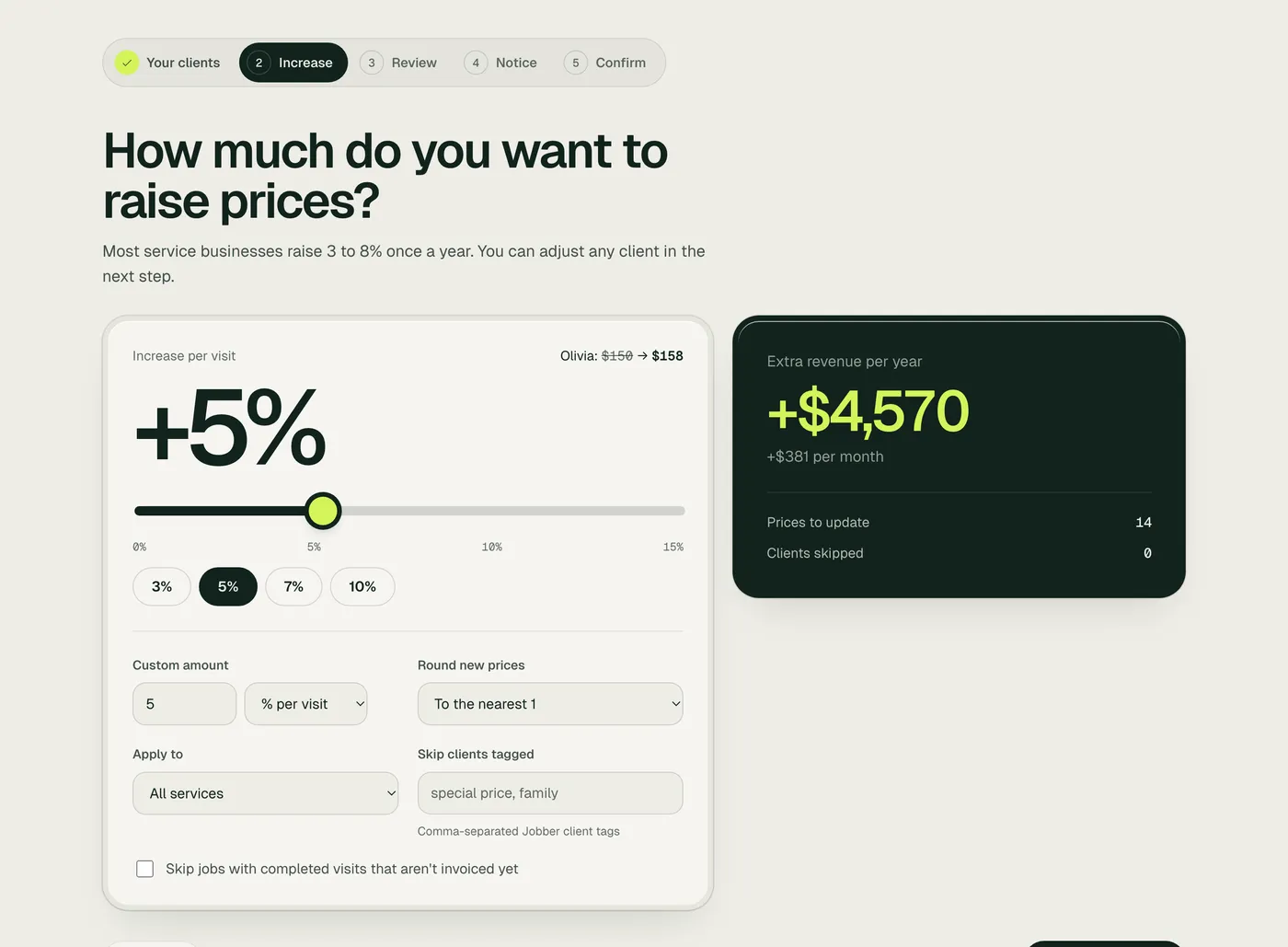
Set the increase once, skim the list, confirm. Every recurring job and its scheduled visits update together.
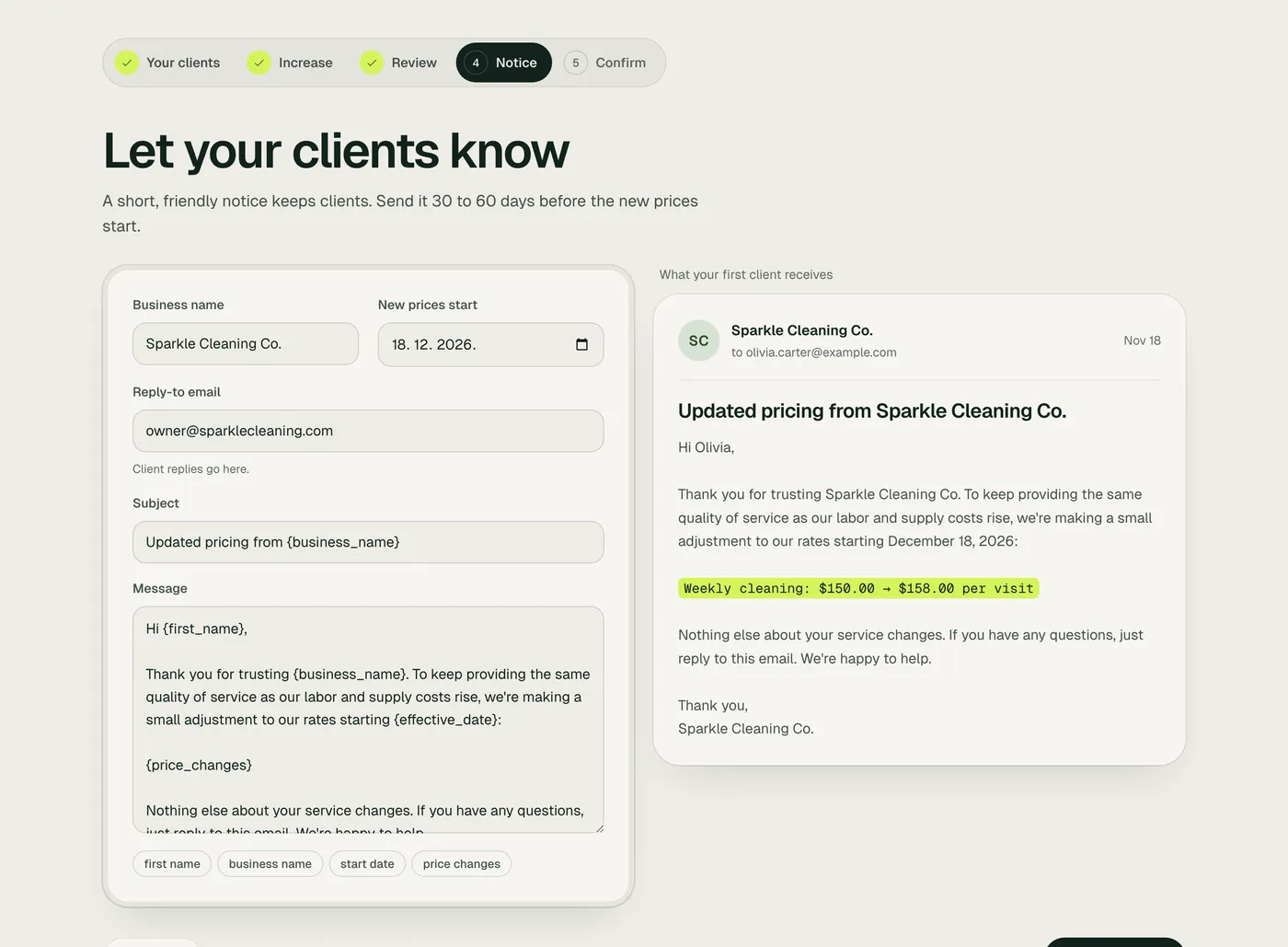
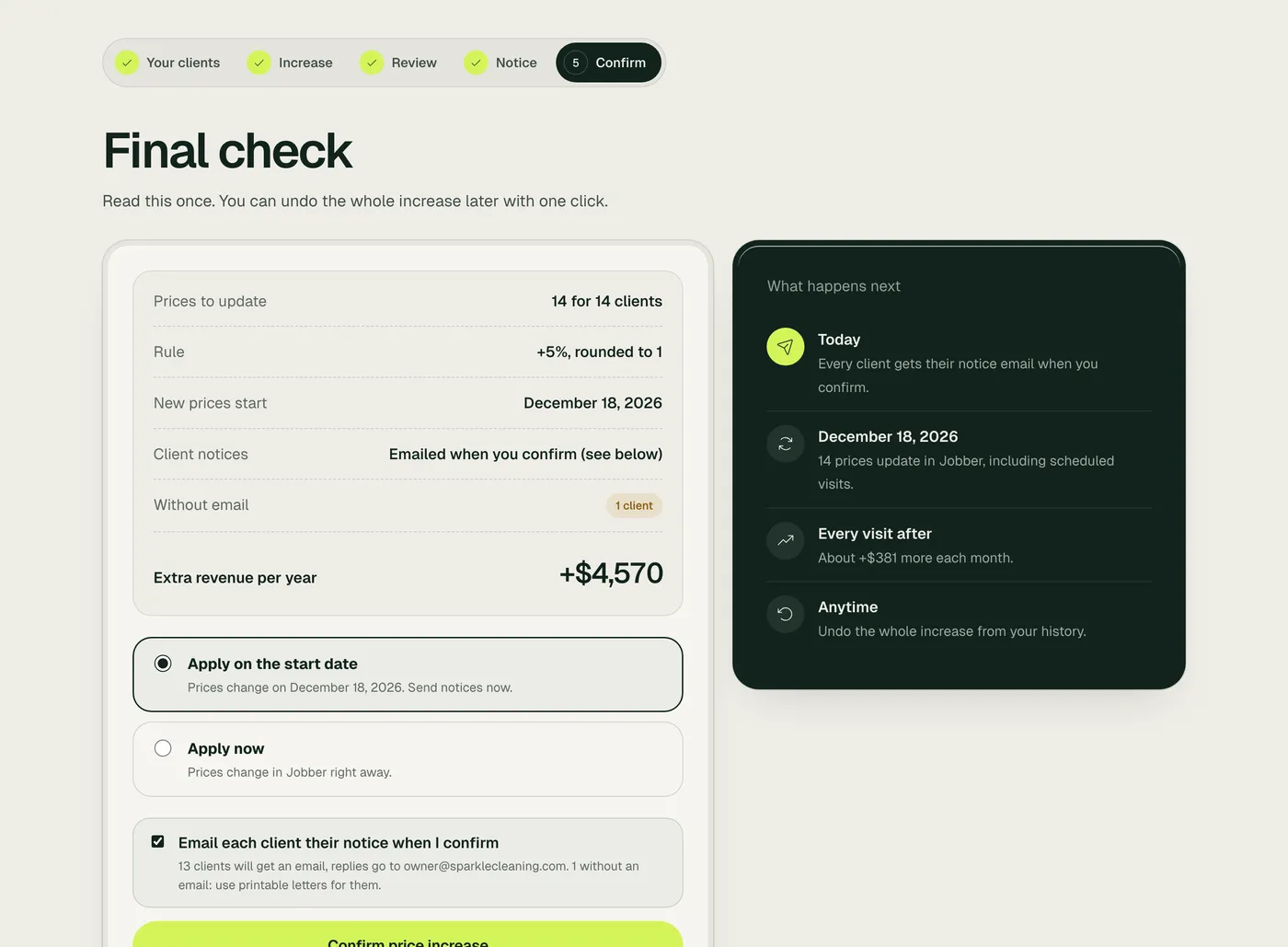
From rule to raised, in four screens.
Built so nothing surprises you.
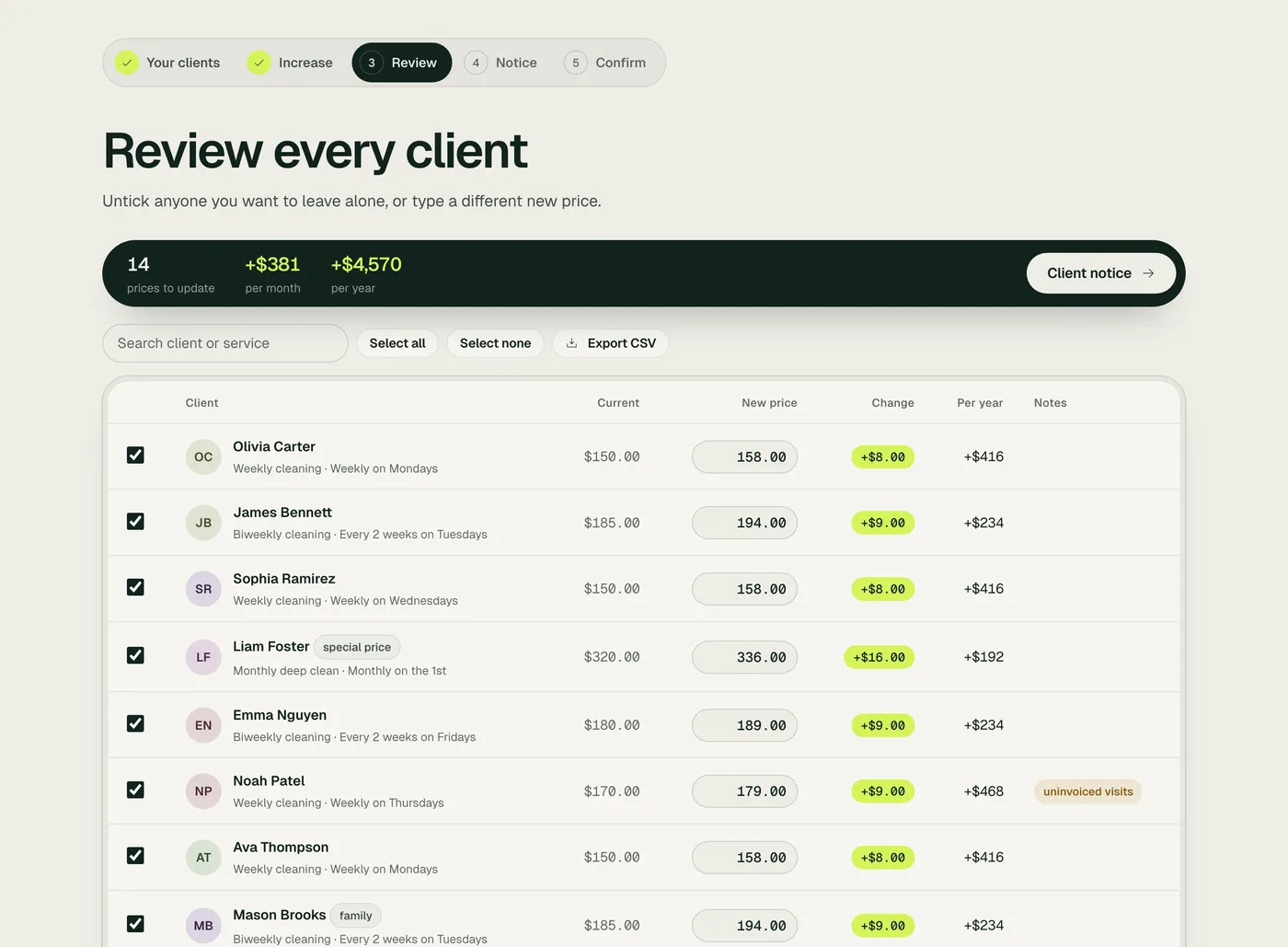
See every new price before anything changes.
Old price, new price and the yearly total, client by client. Nothing is touched in Jobber until you confirm.
One-click undo
Restores the old prices, and keeps any price you changed by hand since.
Skip special clients
By tag, by checkbox, or with a custom price.
Invoice warnings
Jobs with completed visits that aren't invoiced yet get flagged, so you bill them at the old price first.
Official Jobber connection
Jobber's own sign-in. Access is stored encrypted, and you can disconnect anytime.
Preview for free. Pay when you apply.
Connect Jobber and see exactly what your increase is worth before you spend anything.
- Connecting and previewing are free
- Undo stays available, even after you cancel
- Cancel anytime, right from the app
- 14-day money-back guarantee
First 10 customers get 50% off the first month with code LAUNCH50 at checkout.
Self-serve
Billed monthly. Cancel anytime.
- Unlimited price increases
- One-click undo
- Custom prices and tag skips
- Client notice templates
- Schedule for a start date
- Switch monthly or yearly anytime
Need a hand with your first increase? Email us and we'll walk you through it.
Questions owners ask.
Click through the whole flow with a sample cleaning business. No signup.
Try the demoWill my clients see anything when I connect?
No. Connecting and previewing change nothing. Prices only change when you confirm, and clients only get a notice if you send one.
Does it change scheduled visits too?
Yes. The new price is set on each recurring job, and Jobber carries it to that job's scheduled visits and upcoming invoices.
What about invoices I already sent?
Existing invoices are not touched. Completed visits that are not invoiced yet may bill at the new price, so those jobs are flagged. Invoice them first, or skip them.
Can I undo it?
Yes, with one click from your history. If you changed a client's price by hand after the increase, undo leaves that price alone.
Can some clients keep their old price?
Yes. Skip clients by tag, untick them in the preview, or type a different price for anyone.
What if it's not right for me?
You're covered by a 14-day money-back guarantee. Email us within 14 days of your first payment, from the email you used at checkout, and we'll refund it in full. Undo stays available too, so you can put your old prices back anytime.
Can I schedule it for a future date?
Yes. Send notices now and let the new prices apply on your start date, for example 30 days later.
Your next price increase, done this week.
See what it's worth with sample data. Two minutes, no signup.
Try the demo